 Just+ Player
You have seen this intro four times.
Just+ Player is an Android video player built on Media3. It opens on your files and the folders on your network, looks up where the intro, the recap, the ad break and the credits are, and offers you one button. The rest of the time it stays out of the picture.
![The player over a paused frame of They Live: poster thumbnail, title, a metadata line reading 1080p · H.264 · 24.00 fps [AAC], the time playback will end and the clock, a coral pause button, and a time bar with a blue skip segment at its far end.](img/player.jpg)
The intro is ninety seconds. The button is one tap.
Segments arrive from the app that launched the player, or are looked up online in six databases — SkipDB, SkipMe.db, IntroHater, IntroDB, TheIntroDB and Aniskip. They vote, and a segment several of them agree on is the one used.
- Intro and credits, set apart
- Each end of the episode gets its own behaviour: a Skip button for five seconds, a Skip button for as long as the segment lasts, or skip it without asking. The button can show the time left as a ring.
- Nothing is final
- Every skip can be undone from the same pill, and an automatic skip can be cancelled in the moment before it fires.
- When a database is off
- A session offset nudges every segment a few seconds either way, for the release that is not quite the one the database timed.
- Drawn where you can see them
- Skip segments are a blue band on the time bar itself and ads an amber one, so you know what is coming before it arrives — the same bar this page is navigated with.
It opens on your films, not on an empty player
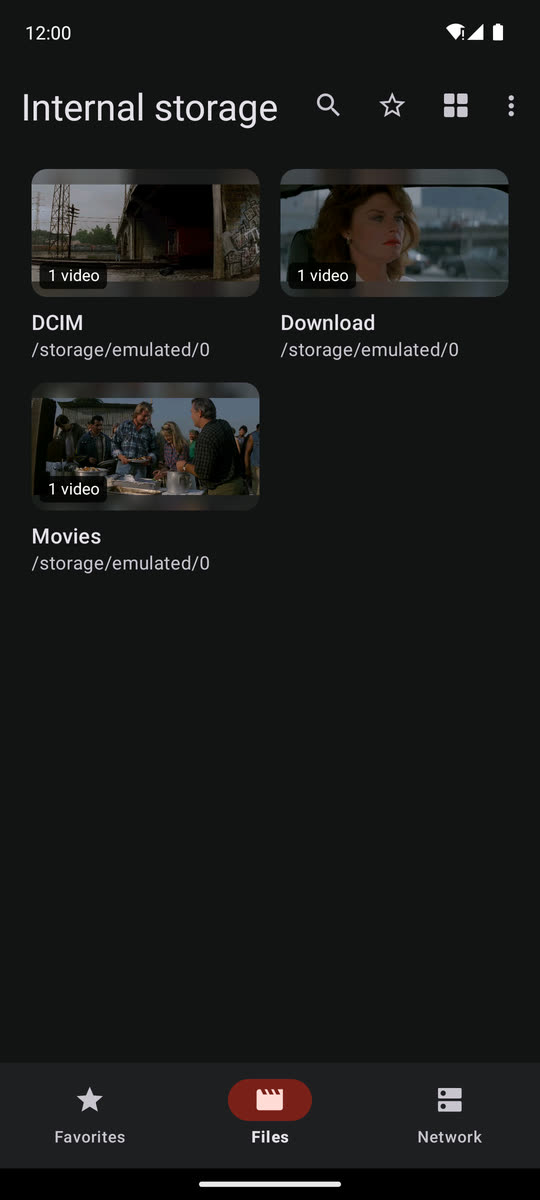
Three places: Files on the device, Network folders on the machines around you, and Favorites — anything you held a finger on to put aside. A file handed over by another app still goes straight to the player.
- Files
- Rows, tiles with a still from each video, or columns on a wide screen. Each file shows its resolution, size and date, and where you stopped watching. Search the folder that is open, or everything below it.
- Network
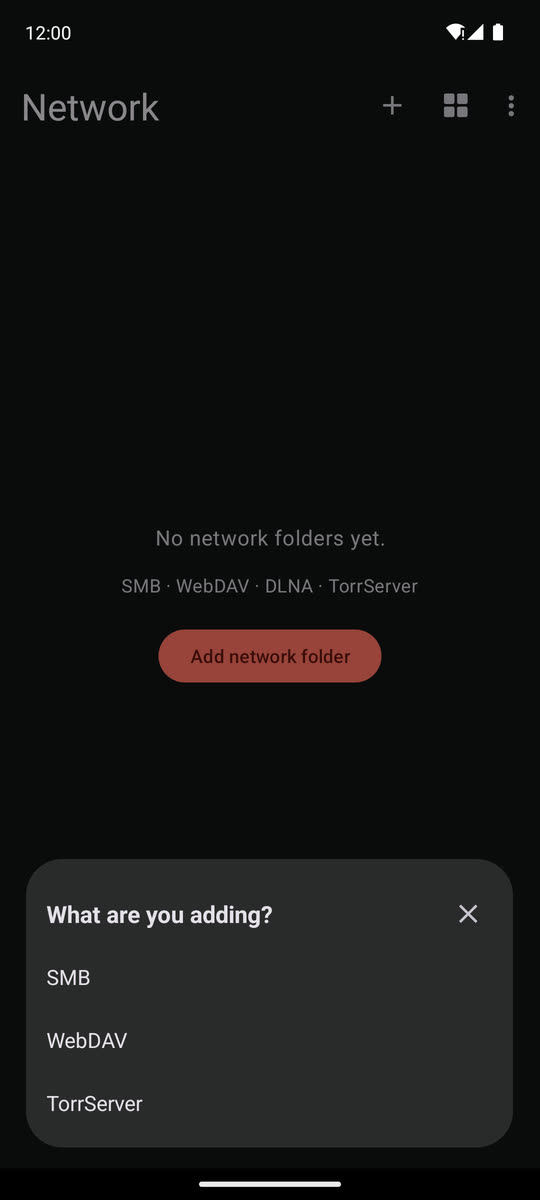
- SMB shares, WebDAV servers, DLNA/UPnP media servers and TorrServer. Machines on the local network are found for you, a share that wants a password asks for it, and an address can be typed in as well. A media server shows its own posters; on a TorrServer you can add a magnet link.
- A playlist for free
- The folder a file was opened from becomes its playlist, as a list or as a rail of frames. After playback you land back in the folder, on the file you left.
- Every folder, if you want
- Optional access to all files on Android 11 and later, so every folder can be listed, and switches for hidden files and .nomedia. The app works without it.
Controls that say what is going on
The header carries the poster, the title and a line of facts about what is actually playing, next to the clock and the time playback will end.
- Tap anywhere on the time bar to seek there; letting go of a drag lands exactly where the finger was.
- Hold the picture to speed up — 2× and drag to change it, always 2×, or off.
- Ten scaling modes — Fit, Crop, Fill, 16:9, 4:3, 16:10, 2:1, 2.35:1, 2.39:1, 5:4. A tap cycles the first five, a long press opens the full list.
- Volume to 200 % with a loudness boost, and volume and brightness gestures that report a percentage instead of an unlabelled bar.
- Lock from the bottom bar, unlock with a swipe — a stray thumb in a pocket does nothing.
- An optional clock over the video, a transfer line (buffer, network, bitrate) above the seek bar, and a statistics overlay.
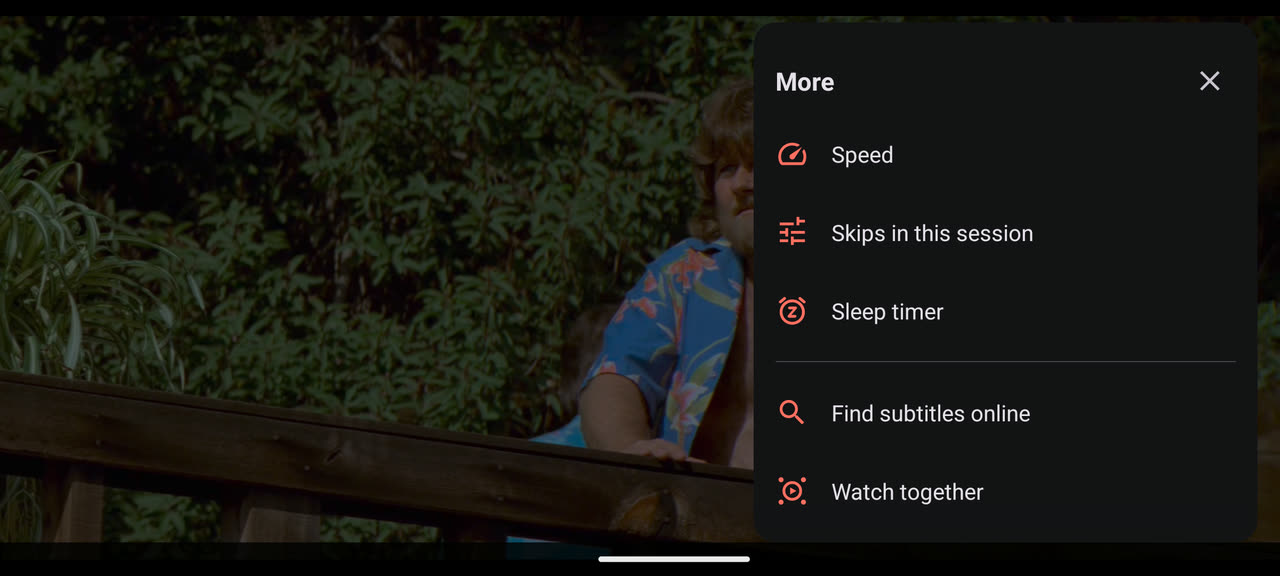
Everything else sits behind ⋮ More
Speed from 0.25× to 4× in 0.05 steps, the skips in this session, a sleep timer, online subtitles and watch together — as a panel beside the picture instead of a menu on top of it.
The sleep timer runs 15–90 minutes, until the end of the file, or any time up to 12 hours typed on a keypad, with −/+ 5 minutes. It fades the volume out over the last thirty seconds instead of cutting off mid-sentence.
Sound, subtitles and picture, set the way you watch
Audio, subtitles, quality and the playlist each get a side panel, and a button stays hidden until the file actually has something to put behind it. The rest lives in Settings, grouped by what it is about.
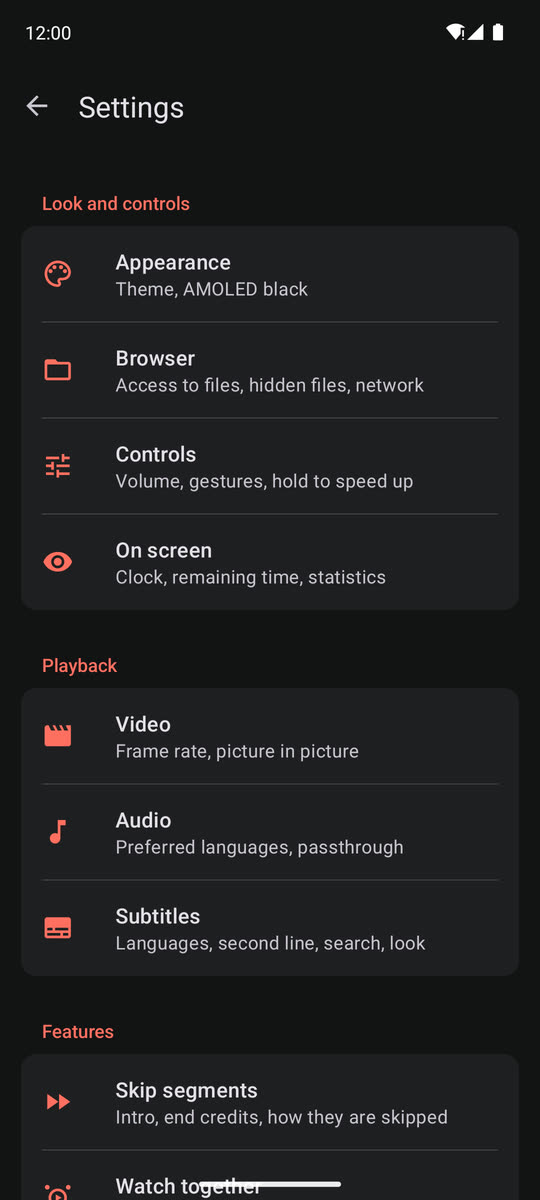
- Audio languages
- Name the languages you want, in order. The player takes the first one the file actually carries, and a language can be promoted straight from the audio panel.
- For a receiver
- Dolby and DTS pass-through, forced for TV boxes that under-report what the receiver accepts. Audio delay is set separately for decoded sound and for pass-through.
- For late at night
- Even out loud and quiet, and dialogue louder than the rest.
- Subtitles
- Size, colour, bold, background and outline with a live preview. A second line in another language, always or only when you pause. Online search matched to your exact file by its hash, and machine translation when nothing in your language exists.
- Picture
- The display's refresh rate — and, if you want, its resolution — matched to the video, for every episode and not only the first. 10-bit AV1 plays, Dolby Vision profile 10 included.
- Quality
- Optimal, highest, a specific resolution, or one of the sources the launching app supplied.
- Look
- Material 3: dark, light or following the system, AMOLED black, 32 accent colours, and the app language picked in the app.
Two sofas, one film.
Watch the same thing in step with someone in another town: play, pause and seek are shared, and everyone's player follows.
- A room, four ways in — create one around whatever is playing, or join by code, by invite link, or from the list of rooms open right now. A password is optional.
- The same room as LAMPA — the protocol is LAMPA's lparty plugin's, so a viewer in the web player and a viewer here share a room.
- No keyboard needed on a TV — the invite is drawn on the box as a QR code, and Join a room sits on the start page.
Sized for a remote
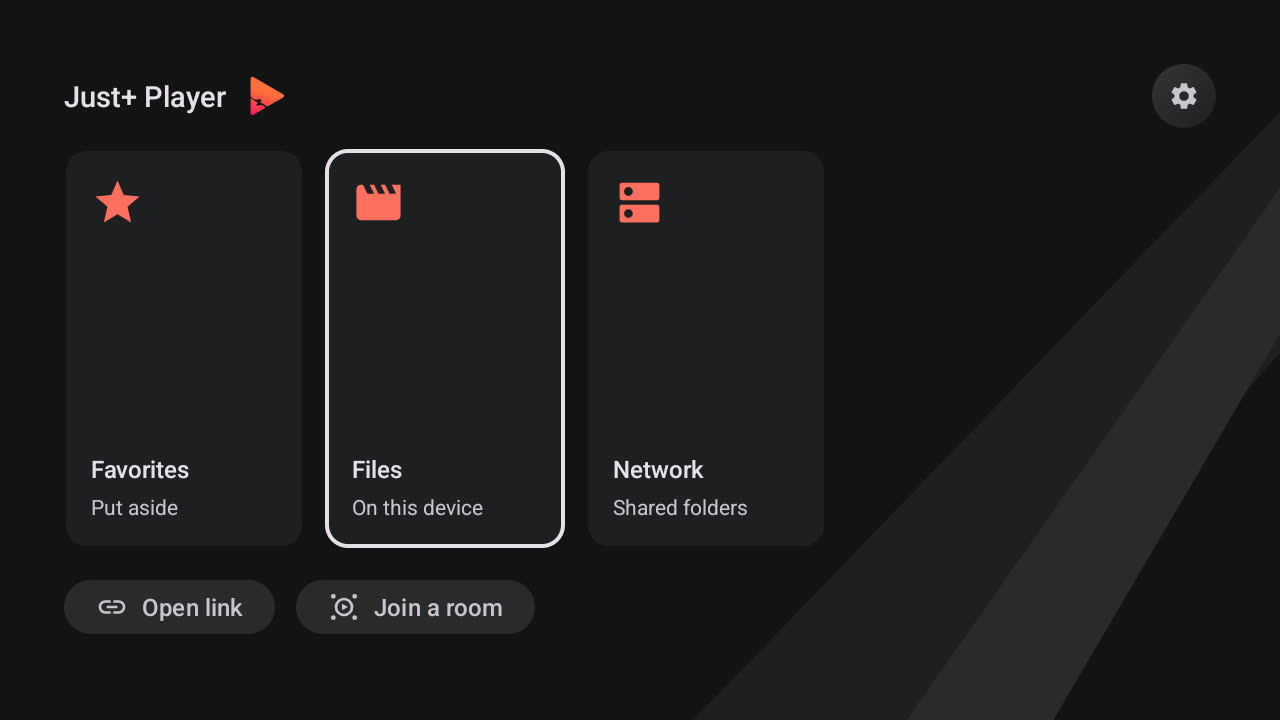
On Android TV the app opens on a start page with a card for each place, plus Open link and Join a room. Every control shows focus the same way, and the d-pad does what a d-pad should.
- ◀ ▶Accelerate while held, and each press lands on a keyframe, so seeking is quick and goes where the readout says.
- ▼Opens the controls with focus already on the time bar.
- BackAsks for a second press before it leaves the player — or leaves at once, if you prefer.
- HoldLong press the resize button, then zoom precisely with ▲ and ▼.
When the stream gives up
- A full-screen report in plain language instead of an ExoPlayer code, with Copy, Share and Upload — and the uploaded log can be read off the screen as a QR code.
- Watchdogs for a load that never starts, a stall in the middle of a film and a frozen picture, and retries for network sources that drop a piece.
- Fallbacks for Dolby Vision profile 7 and for tunneled playback that freezes the picture.
- Said, not hidden — a video track the device cannot decode is reported instead of sound over a black screen, audio tracks no decoder can play are listed with the reason, and a track the system decoder fails on partway through is handed to the bundled one.
What it plays
Media3 plus ExoPlayer's ffmpeg extension, with every audio decoder enabled. That is what makes the formats a phone normally refuses work.
- Audio
- Vorbis · Opus · FLAC · ALAC · PCM/WAVE (μ-law, A-law) · MP1 · MP2 · MP3 · AMR (NB, WB) · AAC (LC, ELD, HE; xHE on Android 9+) · AC-3 · E-AC-3 · DTS · DTS-HD · TrueHD · IAMF · MPEG-H
- Video
- H.263 · H.264 AVC · H.265 HEVC · MPEG-4 SP · VP8 · VP9 · AV1 (8- and 10-bit)
- Containers
- MP4 · MOV · WebM · MKV · AVI · Ogg · MPEG-TS · MPEG-PS · FLV
- Streaming
- DASH · HLS · SmoothStreaming · RTSP
- Network folders
- SMB 2/3 · WebDAV · DLNA/UPnP · TorrServer
- Subtitles
- SRT · SSA/ASS · TTML · VTT · DVB
- HDR
- HDR10+ and Dolby Vision on hardware that supports them. AC-4 works on devices shipping such a system decoder — Samsung Galaxy A, S and Z on Android 11 or later, for instance.
A launcher hands it a queue
Another app opens the player with an ACTION_VIEW intent and passes everything it knows: where to resume, a title and poster, HTTP headers, external subtitles, quality variants, and a playlist of episodes each with its own segments. LAMPA and Lampac plugins already do — they build the intent from the JSON handed to Lampa.Player.play().
Segments are seconds, with the duration they were measured against so the player can rescale them to your file:
{
  "duration_ms": 2696000,
  "skip": [{"start":62,"end":152}],
  "ad":   [{"start":0,"end":12}]
}
With position, subs, video_list or quality_levels present, the player keeps positions for that session only and writes nothing to its own resume store — the launcher stays the owner of the watch state.
The extras table, the LAMPA mapping and the ways it goes wrong →Get it
Android 6.0 or later, one APK for phones, tablets and TV. Sideloaded builds check for their own updates, show what changed and install the new version in place.
On Android TV or Fire TV, no keyboard needed: install Downloader and enter the code 1183424.